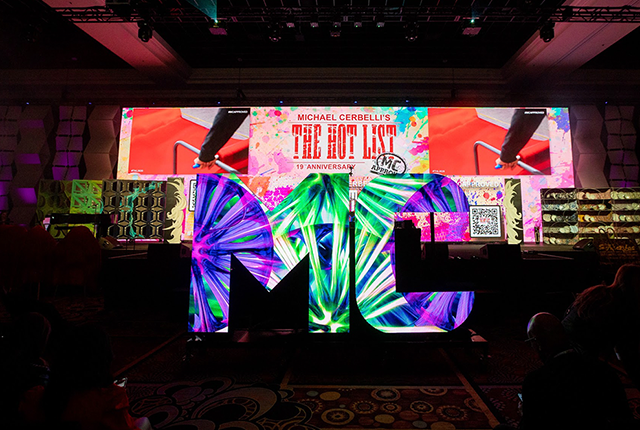


Rental LED displays are a standard part of the visual setup for trade shows, commercial launches, weddings, music festivals, and sporting events — valued for fast installation, flexible dismantling, and repeated reuse.
But unlike a fixed LED installation, a rental display needs to be transported, assembled, commissioned, and kept running within a tight timeframe. A problem at any stage — uneven panel splicing, signal faults, dark modules, flickering — can interrupt the event itself.
Professional rental LED display installation is not simply stacking cabinets together. It is a complete engineering process covering structural safety, power systems, signal transmission, display calibration, and on-site support.
Before Installation: What to Check
Site and Installation Conditions
Before assembly begins, confirm that the installation location meets the basic requirements.
For floor-standing rental LED displays:
- The floor must be level
- The installation area must have sufficient load-bearing capacity
- Soft, unstable, or sloped ground is not suitable
If the ground conditions are inadequate, problems appear after installation: gaps open between cabinets, the screen surface becomes uneven, and the image shifts visually.
For outdoor events, additional factors need to be assessed:
- Wind load
- Rain protection
- Supporting structure stability
Large LED screens typically require wind bracing and anchoring measures to remain stable throughout the event.
Rental LED Display Installation Process
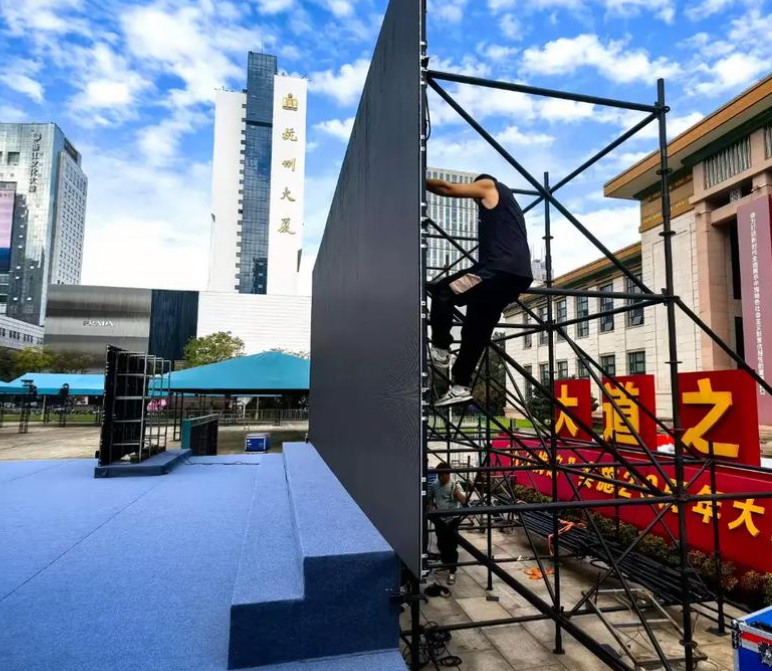
Step 1: Build a Stable Support Structure
The support framework is the foundation of display stability. During installation:
- Verify that the frame is level and plumb
- Confirm that load is distributed evenly
- Check that all connection points are secure
- Confirm overall structural stability
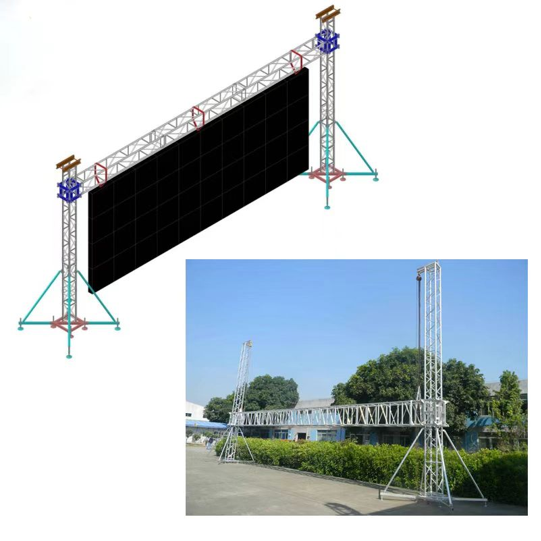
Different installation methods carry different structural requirements. Floor-stacked configurations need attention to base load and tip-over risk. Suspended configurations require careful evaluation of rigging points, safety locks, and rated load capacity.
For large stage LED screens and outdoor event displays, structural safety takes priority over installation speed.
Step 2: Cabinet Splicing — Precision Matters
Rental LED displays typically use a fast-lock system to improve on-site assembly speed. Fast installation does not mean reduced accuracy.
Assemble cabinets in the correct numbered sequence:
- Confirm cabinet arrangement order
- Adjust horizontal and vertical alignment
- Lock the connection structure
- Check splice gaps between cabinets
Excessive installation error produces visible problems: an uneven screen surface, visible splice lines, image misalignment, and reduced close-range image quality.
In stage performances and live broadcast scenarios especially, camera capture magnifies any surface irregularity — flatness is not optional.
Power and Signal Cabling: Avoiding Faults
Once the display structure is assembled, cabling and commissioning are the next factors that determine stable operation.
Separate power and signal cables — manage routing carefully
Before running cables, plan out:
- Power cable routes
- Signal cable routes
- Control cable routes
Avoid:
- Power and signal cables crossing or tangling
- Cables being stepped on or pulled
- Loose connectors
Organized cable management reduces signal interference and makes it faster to diagnose any problems during the event.
Power up in stages — not all at once
Many on-site faults come from powering the full system simultaneously. The correct approach:
- Test individual power supply output first
- Power a section of cabinets and check module display status
- Power the full screen and test overall operation
During each stage, check for:
- Dark or under-performing modules
- Dead pixels
- Flickering
- Power supply stability
Finding problems before the event starts avoids emergency repairs during it.
System Commissioning After Installation
Once the structure and cabling are complete, system calibration is needed to bring the display to the right performance level for the event.
Resolution Matching
Adjust the output resolution based on:
- LED screen dimensions
- Control system capability
- Video playback device output
Incorrect settings cause image ratio errors, incomplete content display, or video distortion.
Brightness and Color Calibration
Rental cabinets from different production batches or with different usage histories may show minor display variation. Calibration optimizes:
- Brightness uniformity across the full screen
- Color consistency
- Grayscale performance
Keeping the Display Running During the Event
Installation completing does not mean the job is done. For large events, a technician should remain on-site and monitor:
- Display operating status
- Signal stability
- Playback system performance
- Power supply temperature
Be ready to respond quickly to:
- Black screen
- Flickering
- Signal interruption
- Individual module faults
For concerts, trade shows, and sporting events where display reliability is non-negotiable, on-site technical support significantly reduces the risk of unexpected problems affecting the event.
Dismantling and Transport Also Affect Equipment Lifespan
The process after the event matters as much as the setup. The correct dismantling sequence:
- Power down the system
- Disconnect signal and power connections
- Remove LED cabinets in sequence
- Inspect equipment condition
- Pack and transport by category
Avoid:
- Forcing components apart
- Pulling on cables
- Cabinets colliding during removal
Careful dismantling reduces equipment wear and makes the next event setup faster and easier.
Summary
Rental LED display installation is a systems process. Fast assembly is the baseline — stable operation throughout the event is what actually determines success.
From site assessment, structural build, and cabinet splicing, through power testing, system commissioning, and live event support, every stage affects the final display result.
MileStrong provides customized rental LED display system support matched to different event scales, viewing distances, and installation environments — covering product configuration, structural design, technical guidance, and project deployment — helping trade shows, performances, and commercial events achieve efficient, reliable LED display results.