
CAVE technology started in scientific research and virtual reality. Today it is increasingly used in enterprise showrooms, digital cultural tourism, education and training, engineering simulation, brand experience centers, and immersive exhibitions. As fine-pitch LED display technology has matured, LED displays have become a leading solution for CAVE installations.
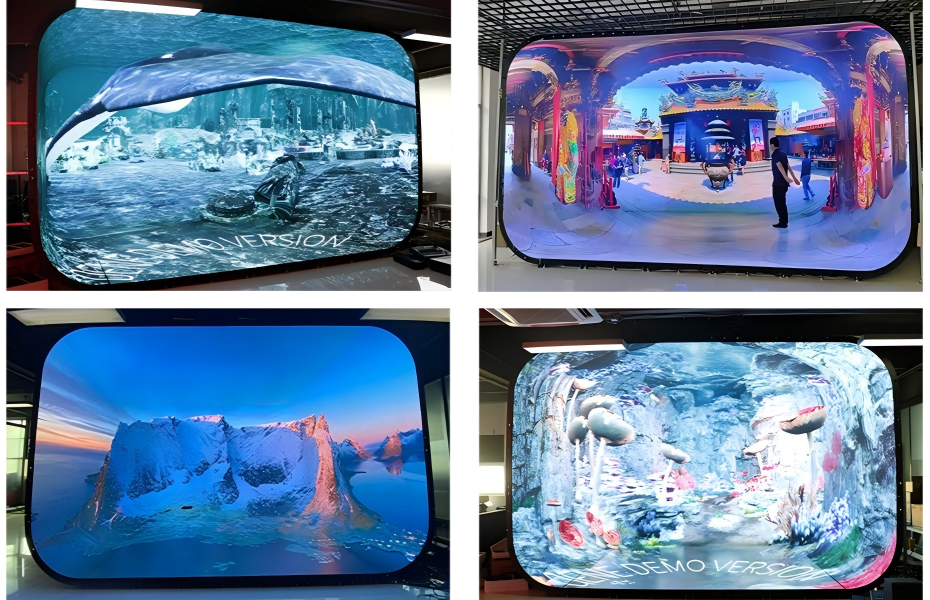
But a CAVE space is not simply a matter of installing LED screens on walls. Display surface count, pixel pitch, real-time rendering, spatial tracking, content production, and interactive systems — every element affects the final immersive experience and project cost.
This guide covers what a CAVE space is, how a CAVE LED system works, how to choose one for different budgets, and what to consider when planning a project.
CAVE stands for Cave Automatic Virtual Environment. The concept was developed in the early 1990s by researchers at the University of Illinois at Chicago. Early CAVE systems used multiple projection surfaces to create a stereoscopic virtual environment that users could physically enter.
A traditional CAVE typically consists of three to six display surfaces:

As LED display technology has developed, CAVE installations are no longer limited to projection. Fine-pitch LED displays deliver high brightness, high contrast, and high resolution in compact spaces — without the constraints that projection systems place on throw distance and ambient light. Today, a CAVE space is generally understood as an immersive visualization environment built from multi-surface LED displays, a real-time rendering system, spatial tracking, an audio system, and an interactive control system working together.
CAVE vs. Standard LED Video Wall
A standard LED video wall faces one primary viewing direction. A CAVE space is defined by multi-surface wraparound display and spatial awareness — the audience is inside the display environment, not in front of it.
The immersive effect of a CAVE is not produced by the LED screens alone. It is the result of multiple systems working in coordination.
LED displays are the visual foundation of a CAVE system. Unlike a single-face LED video wall, a CAVE requires multiple display surfaces operating together — three, four, five, or six surfaces depending on the project. Across all surfaces, the system must maintain synchronized playback, consistent color, accurate geometric alignment, continuous content, and stable signal delivery.
For close-range viewing environments, fine-pitch LED is generally the better choice — smaller pixel pitch delivers higher pixel density and reduces visible pixel structure when viewers are near the screen.
A CAVE system typically requires multi-channel rendering. A single 3D scene must be output simultaneously to multiple display surfaces, each calculated from a different spatial position. This involves GPU real-time rendering, multi-channel video output, frame synchronization, resolution management, content mapping, and real-time perspective calculation.
For high-end CAVE projects, synchronization across display surfaces directly affects the experience. Visible latency between surfaces causes image discontinuity when users move through the space.
Real-time spatial tracking is one of the key capabilities that separates a CAVE from a standard multi-surface LED installation. Infrared cameras, optical positioning systems, or other tracking devices continuously capture the viewer’s position and orientation. As the viewer moves, the system updates the virtual camera in real time.
When you step to the left, the perspective of the virtual scene shifts accordingly — just as it would if you were observing a real physical object. This real-time perspective response significantly strengthens the spatial realism of the CAVE experience.
Immersive experience goes beyond the visual. A spatial audio system delivers sound that changes based on the virtual object’s position and the user’s location. A vehicle passing from the right produces sound from the right. A distant object carries the acoustic quality of distance. When audio stays synchronized with image and user position, the CAVE delivers a more complete multi-sensory experience.
For projects requiring a higher level of interactivity, the system can incorporate hand tracking, motion tracking, gesture recognition, touch interaction, motion sensors, and interactive controllers. At this level, the CAVE becomes a real-time responsive environment rather than an immersive playback space.
Projection was once the standard display technology for CAVE systems. LED is now a significant alternative. The right choice depends on space, viewing distance, ambient light, content requirements, and budget.
| LED CAVE | Projection CAVE | |
|---|---|---|
| Brightness | High brightness, unaffected by ambient light | Limited by projector output, sensitive to room lighting |
| Contrast | High native contrast | Degrades noticeably with ambient light |
| Viewing distance | Well suited to close-range immersive viewing | Constrained by throw ratio — requires specific room depth |
| Installation | Modular cabinet assembly | Requires projection throw clearance |
| Maintenance | Module-level replacement | Projector unit, lens, and light source maintenance |
| Long-term operation | Continuous stable operation | Lifespan tied to light source |
| Upfront cost | Higher initial hardware investment | More flexible through projector configuration |
| Structural flexibility | Supports custom and irregular configurations | Limited by projection range |
A CAVE does not have to be a fully enclosed six-sided space. Surface count should match the application.
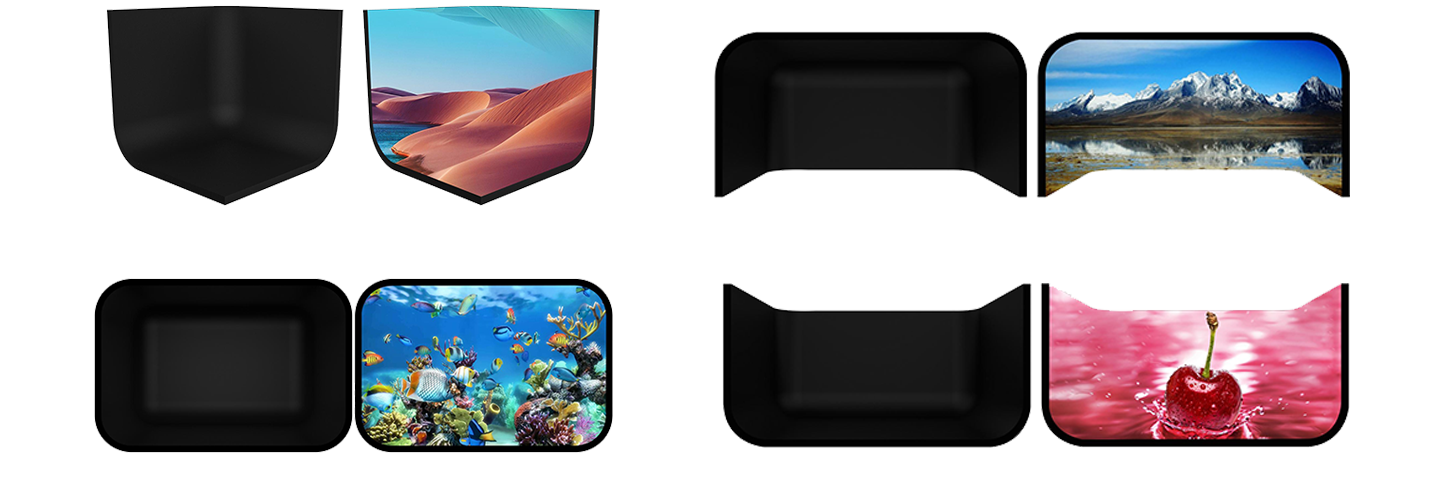
front, left, and right walls. Creates a basic wraparound visual environment. Suited to enterprise showrooms, brand experiences, education, and commercial events.
adds a floor display to the three-wall structure. This configuration creates a stronger sense of spatial immersion and is particularly effective for projects where users need to feel they are standing inside the virtual scene.
adds a ceiling display instead of a floor. This structure extends the visual environment upward and can be suitable for immersive exhibitions, digital experience spaces, and projects where overhead visual content is an important part of the experience.
adds both ceiling and floor to the three-wall structure. It provides a more complete immersive environment and is well suited to digital twin visualization, scientific research, high-end enterprise showrooms, and immersive experience spaces. More display surfaces can increase immersion, but they also add to LED display cost, rendering load, content production, system integration complexity, and maintenance requirements. The right structure should be determined by the space, the content, and how the space will be used.
A high-quality CAVE LED system requires careful consideration of both display performance and system performance.
| Specification | Recommended Consideration |
|---|---|
| Pixel Pitch | P1.2–P2.5 depending on viewing distance |
| Refresh Rate | ≥3,840Hz |
| Grayscale | 14–16 bit |
| Brightness | Based on indoor environment |
| Contrast | High contrast for immersive content |
| Color Gamut | ≥95% DCI-P3 for high-end applications |
| Input | HDMI / DP / SDI / IP |
| Resolution | 4K / 8K or customized |
| Synchronization | Multi-channel synchronous rendering |
| Tracking | Optional based on application |
| Audio | Spatial / surround audio |
Not every project needs maximum specifications across every parameter. The gap between a small brand showcase CAVE and a research-grade digital twin CAVE — in display area, processing power, and interactive capability — is significant.
A practical example: projects involving on-site camera capture or live streaming typically require ≥7,840Hz refresh rate to prevent moiré patterns. A brand showroom with no camera requirements has no need to meet that threshold. Pixel pitch, color gamut, and multi-channel sync specifications should all match the actual project objectives — not be set at maximum by default.
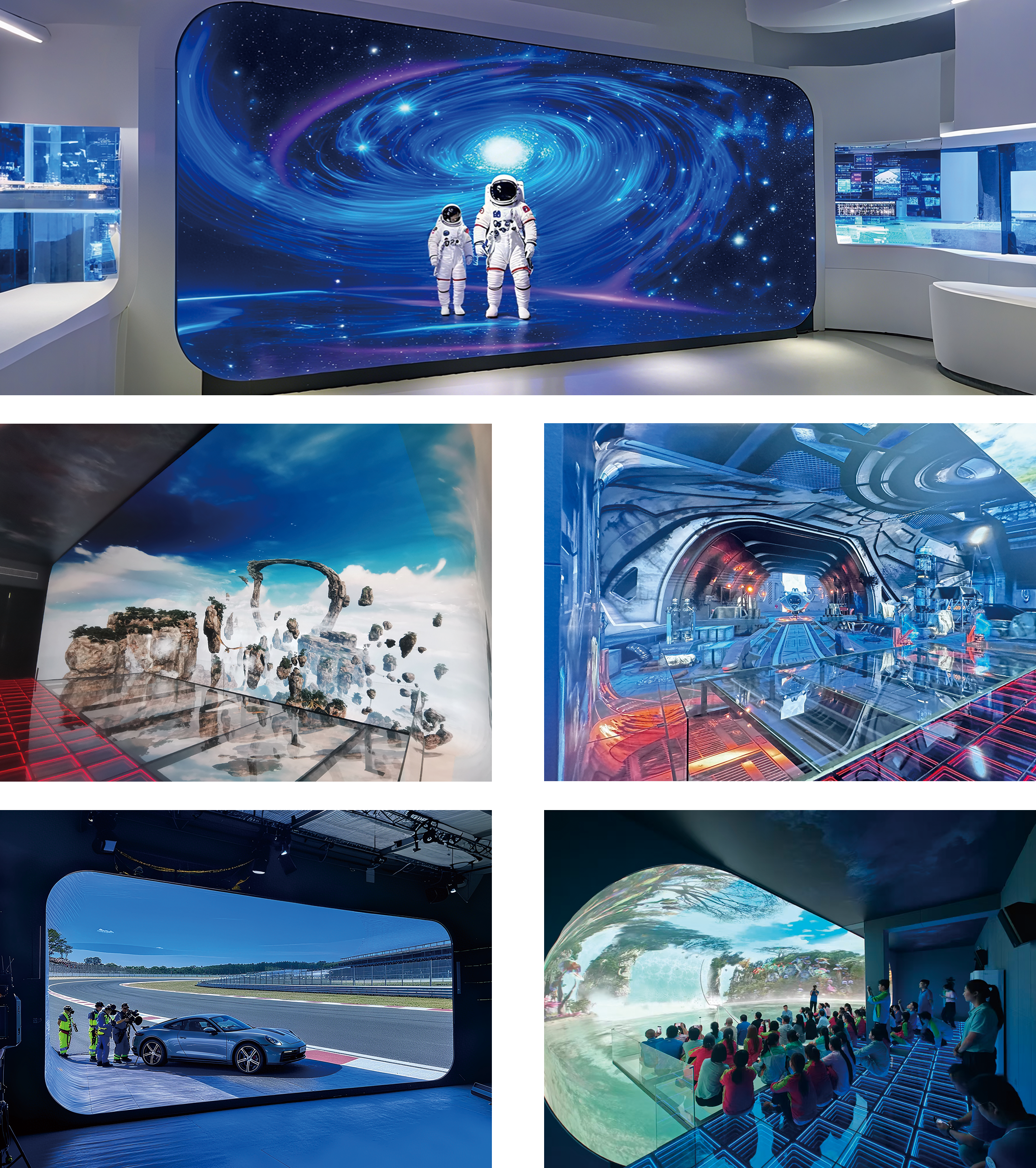
Companies use CAVE spaces to present complex products, brand narratives, production processes, and future development plans. Compared to display panels and standard LED video walls, an immersive environment lets visitors step directly into the product or brand scenario.
Urban planning and digital twin visualization are strong fits for CAVE. Buildings, roads, transportation networks, and infrastructure can be presented as 3D models within the CAVE space, allowing users to examine the city model from multiple perspectives and evaluate different planning scenarios.
CAVE helps educational and training institutions translate complex three-dimensional information into spatially intuitive experiences — medical anatomy, aerospace training, industrial equipment simulation, architectural design, and engineering programs.
Museums and cultural tourism projects use CAVE to reconstruct historical scenes, natural environments, and cultural heritage sites. Visitors enter digitally recreated environments rather than standing in front of display cases.
Product launches and brand activations can use CAVE to create participatory experiences. A product launch becomes a virtual spatial experience where brand story is delivered through visuals, sound, and interaction.
For art exhibitions, CAVE extends digital art from a two-dimensional surface into an entire spatial experience. Visitors are no longer observers — they become part of the environment.
This is one of the most common questions in CAVE project planning. There is no reliable per-square-meter price for CAVE — final cost depends on the full system configuration.
Cost factors include: space size, LED display area, pixel pitch, number of display surfaces, display structure, control system, rendering servers, tracking system, interactive equipment, audio system, content production, installation, commissioning, and long-term maintenance.
Projects ranging from tens of thousands to several million dollars both exist within the CAVE category — but the system configurations and use objectives are completely different.
Suited to small enterprise showrooms, brand experience spaces, commercial events, and basic immersive display. Uses fewer display surfaces and a simpler interactive system. If the primary use is pre-produced video content without complex real-time tracking, the overall system can remain relatively straightforward.
Suited to enterprise showrooms, digital exhibition halls, cultural tourism experience venues, education and training centers, and scientific research display spaces. Typically three to five fine-pitch LED display surfaces with multi-channel synchronized rendering, spatial audio, and a basic interactive system. This category is well suited to long-term operational projects.
Suited to large museums, urban planning centers, high-end brand experience centers, digital twin facilities, research institutions, and large-scale immersive experience venues. May use five or six display surfaces with high-precision tracking, real-time 3D rendering, multi-user interaction, spatial audio, and custom content.
The cost of a CAVE project cannot be judged by LED display area alone. What determines the budget is the complexity of the complete immersive system.
Establish what the space will ultimately be used for — exhibition, digital twin, simulation, training, museum, brand experience, or virtual production. The application directly shapes all subsequent hardware and content decisions.
Confirm: length, width, height, viewing distance, audience capacity, and available installation space.
Based on the application, decide whether three, four, five, or six display surfaces are needed.
Choose LED pixel pitch based on actual viewing distance — not based on surface area alone.
Determine the number of GPU rendering servers, video output channels, and synchronization control system required.
If the project requires real-time perspective response, gesture interaction, or multi-user experience, tracking and interaction systems need to be planned at this stage — not added later.
Hardware and content should be planned in parallel. CAVE content is not a standard video scaled across multiple screens. It requires consideration of viewing perspective, spatial coordinates, display surface mapping, resolution, real-time rendering, and user interaction.
After LED installation, signal routing, color calibration, geometric alignment, and multi-channel synchronization must all be commissioned. Only when hardware, content, and system are fully calibrated together does a complete immersive experience become possible.
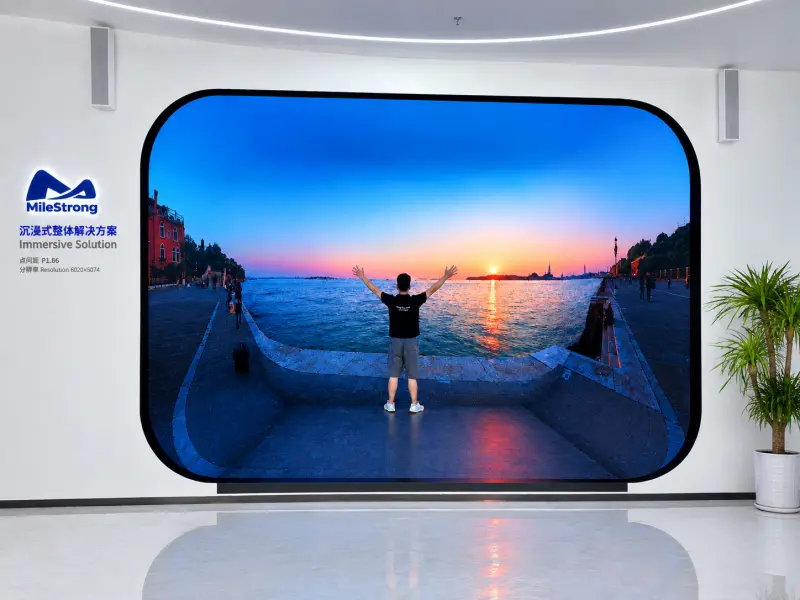
MileStrong provides customized LED display solutions for CAVE spaces and immersive environments, supporting different display surface configurations based on project requirements.
For CAVE projects, the LED display is not an isolated hardware product. It needs to be planned together with the spatial structure, viewing distance, content system, and control system.
MileStrong can configure LED display specifications based on: space size, viewing distance, display surface count, pixel pitch, resolution, brightness, and structural requirements.
For different immersive project types, flat, curved, and multi-surface combined structures can be used based on the spatial design — combining fine-pitch LED wall displays and LED floor displays to build a more complete immersive visual environment. For CAVE projects requiring close-range viewing, fine-pitch LED provides higher pixel density. For projects requiring interactive floor experiences, LED Floor Display can be integrated as part of the system.
MileStrong also provides support covering LED display configuration, custom structure, technical coordination, and project support — helping system integrators, exhibition venue developers, and brand clients select the right CAVE display solution for their actual requirements.
CAVE stands for Cave Automatic Virtual Environment. It is an immersive visualization solution that uses multi-surface display systems to create a three-dimensional spatial environment. Users can move freely within the space without wearing VR headsets, experiencing real-time rendering, spatial tracking, and interaction.
A complete CAVE system typically includes: LED display or projection display system, video processing and control system, multi-channel real-time rendering system, spatial positioning and tracking system, spatial audio system, interactive control system, and content production and management system. Configuration varies based on application requirements.
There is no standard price. Cost depends on space area, LED display area, pixel pitch, number of display surfaces, control system, rendering servers, interactive equipment, content production, and installation. Entry-level, standard, and large-scale custom projects occupy very different budget ranges. Planning should be based on actual application requirements rather than a per-square-meter estimate.
Yes. Unlike VR headsets, a CAVE space does not require individual headsets — multiple people can enter the same space and view content together. Whether multi-user real-time interaction is supported depends on the tracking system and software platform used.
Yes. LED floor tiles can serve as the floor display surface in a CAVE, working alongside wall and ceiling displays to create a more complete immersive environment. Floor LED is particularly well suited to digital twin visualization, virtual mapping, immersive exhibitions, interactive experiences, simulation training, and cultural tourism projects. For applications where users walk on, interact with, or step across the floor display, load capacity, protection rating, anti-slip surface, refresh rate, and long-term operational stability all need to be evaluated.
The core of a CAVE space is not “installing more LED screens in one room.” A genuine CAVE experience comes from multi-surface display, real-time rendering, spatial tracking, synchronization control, spatial audio, and interactive systems working in coordination.
For close-range viewing and high-image-quality immersive environments, fine-pitch LED offers high pixel density, high brightness, and modular maintenance. But not every project needs a six-sided enclosed CAVE, and a smaller pixel pitch is not always the right answer.
A sound CAVE LED solution should be designed from the starting point of space dimensions, viewing distance, number of display surfaces, content type, interaction requirements, and project budget.
If you are planning a CAVE immersive LED project, the first questions to answer are: what do you want users to see in this space, what do you want them to do, and what problem does this space ultimately need to solve? Once those are clear, the LED display system, rendering system, tracking system, and interactive equipment can be designed around the experience objectives — rather than being selected in isolation.
