

What Is an Immersive CAVE LED Display System?
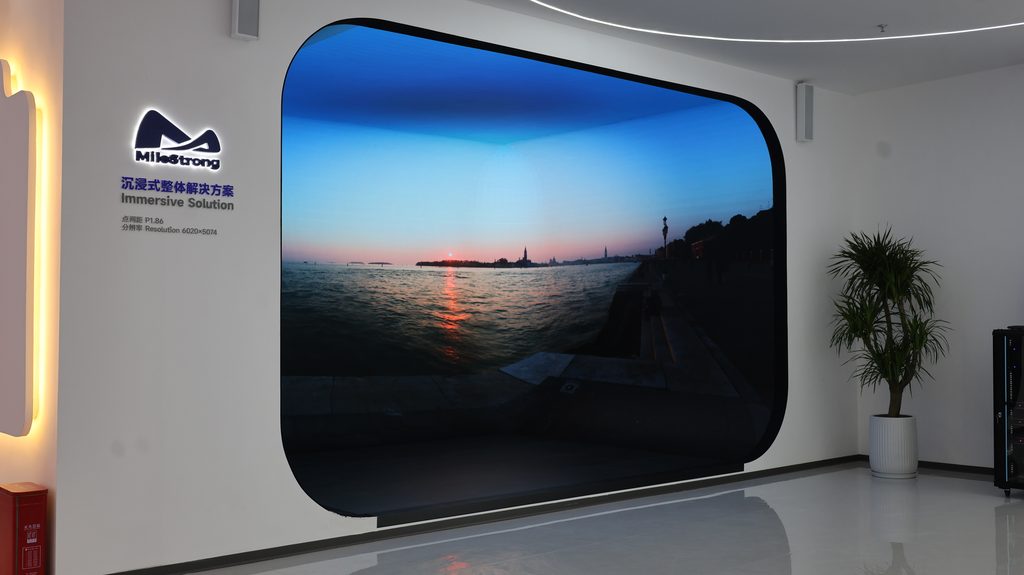
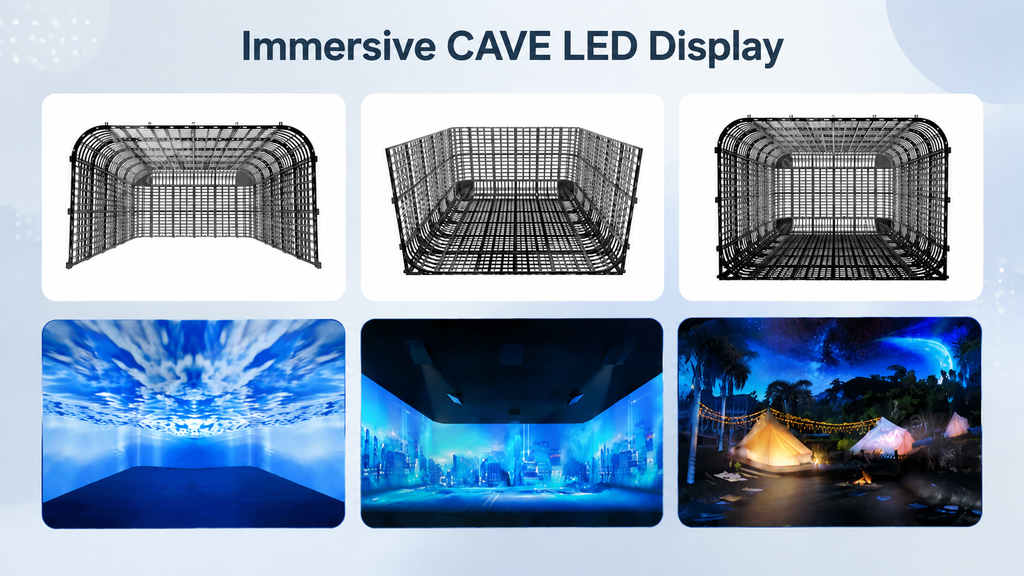
CAVE (Cave Automatic Virtual Environment) uses multiple LED display surfaces arranged around a central viewing area, placing the audience inside the visual environment rather than in front of it. Unlike a standard LED video wall, the defining features of a CAVE are multi-screen coordination, continuous cross-screen content, and precise spatial mapping.
Typical CAVE applications include scientific visualization, digital exhibition halls, immersive art spaces, XR virtual production, and brand experience centers.
How to Select the Right Immersive CAVE LED Display System
Step 1: Define the Space Before Choosing Specifications
Most buyers ask about pixel pitch first. The right starting point is space dimensions and viewing distance.
When requesting a quote, provide at minimum:
- Room dimensions (length × width × height)
- Number of walls requiring LED display
- Whether the floor or ceiling is included
- Whether corners or curved surfaces are needed
- Where audiences will stand and the closest viewing distance
- Whether cameras will be shooting in the space
Step 2: Choose the Right CAVE Configuration
| Configuration | Best For | Key Considerations |
| Three- or four-sided enclosure | Scientific visualization, premium exhibition halls | Seam gap ≤0.5mm, display consistency, ventilation |
| Curved immersive space | Brand experience centers, auto shows | Confirm curve radius, no distortion at seams |
| Full six-sided immersive environment | Flagship stores, XR studios | Frame-level sync, rigging structure feasibility |
| Immersive space with interactive floor | Science museums, children’s venues | Load capacity ≥500kg/m², anti-slip, zero-latency response |
Step 3: Select Pixel Pitch
The core principle: match pixel pitch to actual viewing distance — finer is not always better.
Practical formula: Minimum viewing distance (m) ≈ Pixel pitch (mm) × 1.5–2
| Pixel Pitch | Viewing Distance | Typical Use |
| P1.2–P1.8 | 1–3m | Scientific visualization, XR studios, high-end art exhibitions |
| P2.0–P2.5 | 3–5m | Brand experience centers, standard exhibition halls |
| P3.0–P4.0 | 5m+ | Large-format theme venues |
Step 4: Confirm Brightness, Refresh Rate, and Grayscale
CAVE spaces are indoor enclosed environments — requirements are completely different from outdoor LED display.
Brightness:
- Standard display: 500–800 nits — avoid eye fatigue and reflections
- XR virtual production: ≥1,000 nits
Refresh rate:
- Standard recommendation: ≥3,840Hz
- XR applications: ≥7,680Hz
Grayscale: ≥16-bit for smooth gradients across large surfaces
Color consistency: Color deviation across panels ≤ΔE2.
Step 5: Evaluate the Control System
The control system determines multi-screen coordination quality and must be selected alongside the display hardware. Evaluate four capabilities:
- Multi-screen synchronization: Frame sync latency ≤1ms
- Content compatibility: Supports 4K/8K signals, multi-stream video, geometric correction
- Color calibration: Per-pixel calibration and batch color management
- Redundancy: Backup switching, fault alerts, automatic recovery
Step 6: Structure, Thermal Management, and Maintenance
- Installation structure
Floor and ceiling LED installations require structural engineering decisions — steel structure, cabinet weight, and load capacity — to be confirmed during the design phase, not after equipment arrives.
- Heat dissipation
Multiple screens running continuously generate significant heat. LED power consumption, air conditioning capacity, and room ventilation should be evaluated together during project planning.
- Maintenance access
Confirm front or rear maintenance access, module replacement convenience, and spare module availability before installation. For long-term projects, maintenance accessibility matters as much as the initial setup.
CAVE LED Procurement Checklist
Prepare this information before approaching suppliers:
- Space: Dimensions, wall count, floor/ceiling requirements, curves or corners
- Viewing: Closest viewing distance, audience count, whether viewers enter the display space
- Content: Standard video / real-time rendering / XR / camera capture
- Display specs: Pixel pitch / brightness / refresh rate / grayscale / color consistency
- Engineering: Steel structure / power distribution / thermal management / maintenance method / spare modules
Frequently Asked Questions
- Does a CAVE always require fine-pitch LED?
No. The right pixel pitch depends on viewing distance and budget. There is no need to pursue the smallest available pitch for every project.
- Can standard LED displays be used for CAVE?
Technically yes, but CAVE performance depends more on multi-screen synchronization, color consistency, and system integration than on the screen specification alone.
- Should floor and wall displays use the same LED product?
Not recommended. Floor displays require separate evaluation for load capacity, anti-slip surface, and wear resistance.
- What matters most for an XR CAVE?
Refresh rate, low latency, Genlock/Framelock synchronization, and camera compatibility — these are more critical than pixel pitch for XR applications.